How do I remove the profile hold on my expert profile?
Updated 1 min read
From the Profiles page, you can navigate to the Profile Holds tab (https://connectively.us/admins/profiles?tab=holds) to view any Active Holds and request reinstatement.
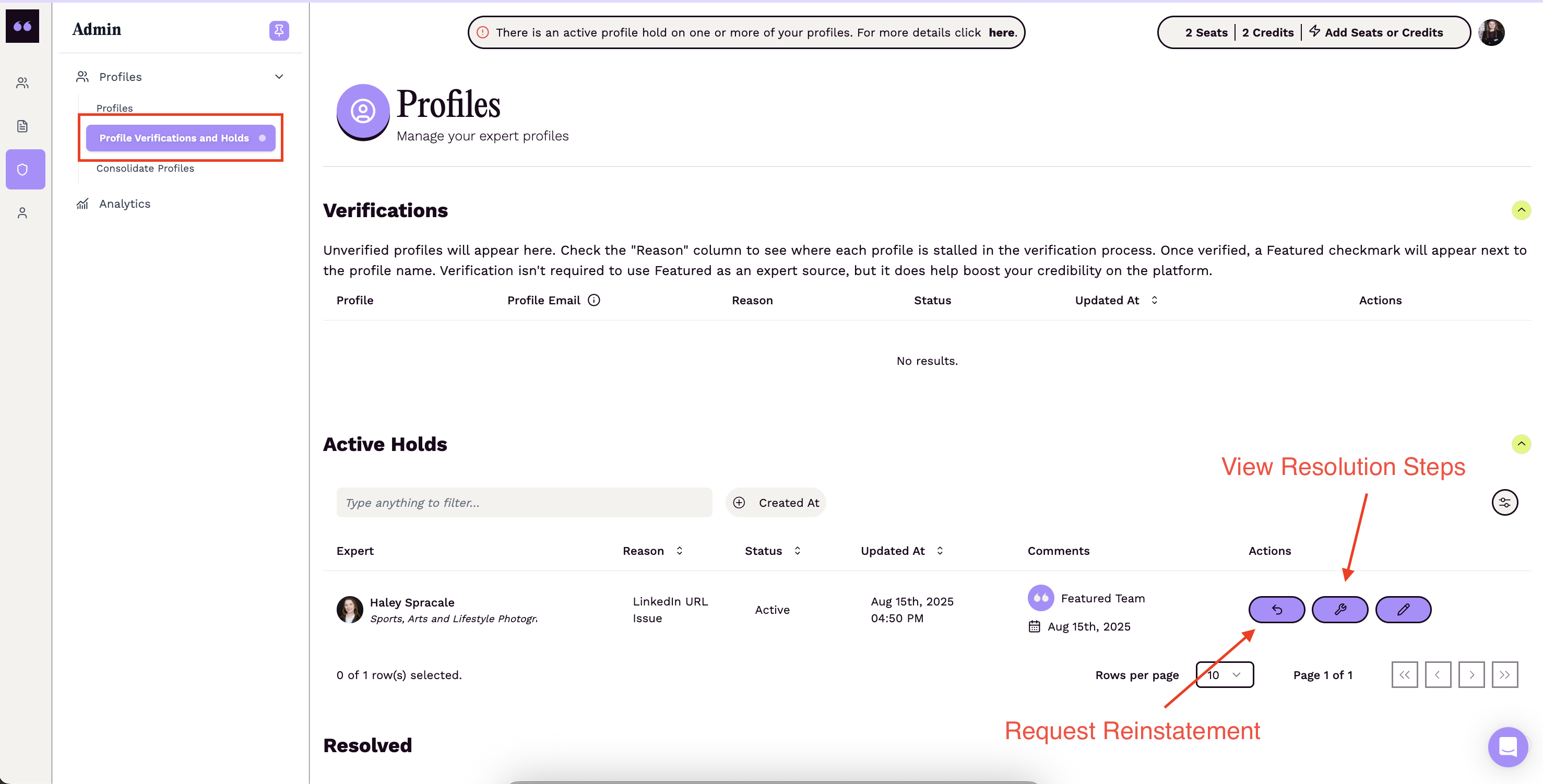
If you are not sure what steps to take to resolve the hold, the steps for each active hold are listed right under its reason in the Reason column. Click Edit Profile to update your profile, then click Request Reinstatement. If the fields behind the hold haven't changed since it was placed, you'll be asked to edit your profile first or explain why you can't before the request is sent.