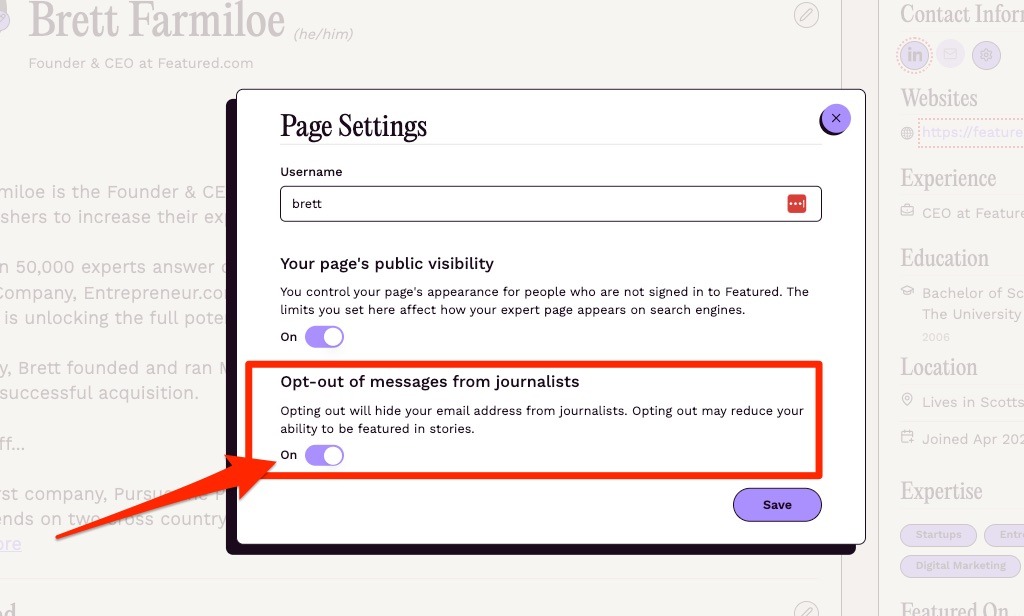
How can I opt out from messages from journalists?
Updated 1 min read
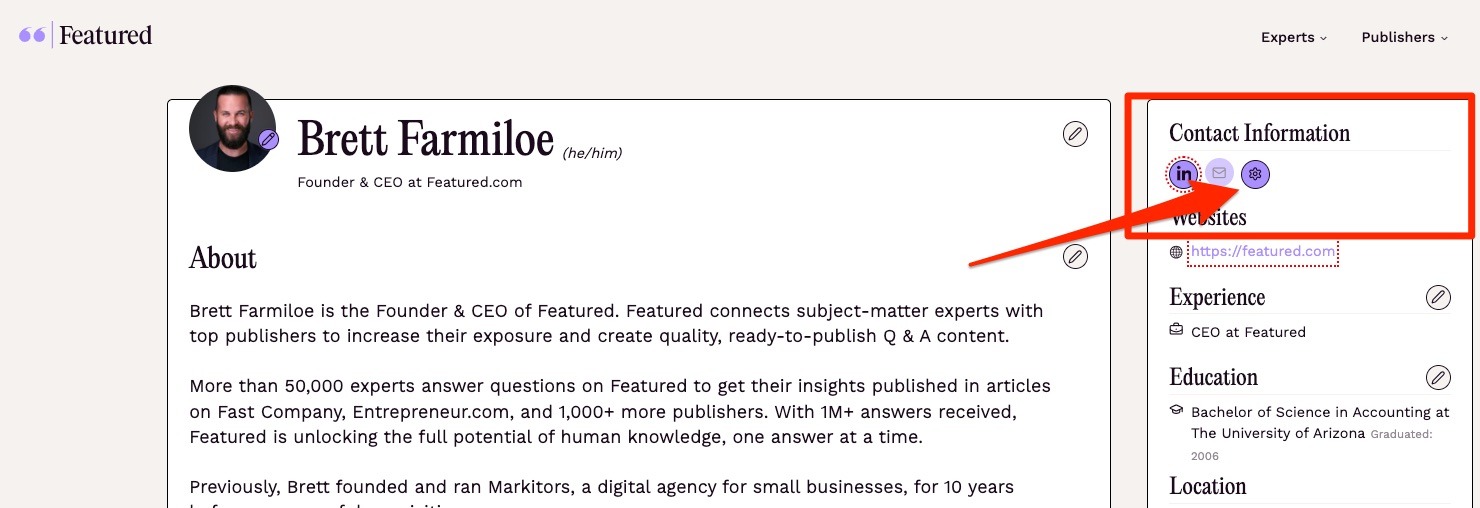
From your Expert Page, you should see a Settings icon on the left-hand side under Contact Information.
Click on the icon, which will bring up the Page Settings pop-up. From there, you can toggle Off or On the "Opt-out of messages from journalists" setting. Turning it On hides your email address from journalists, which may reduce your ability to be featured in stories.