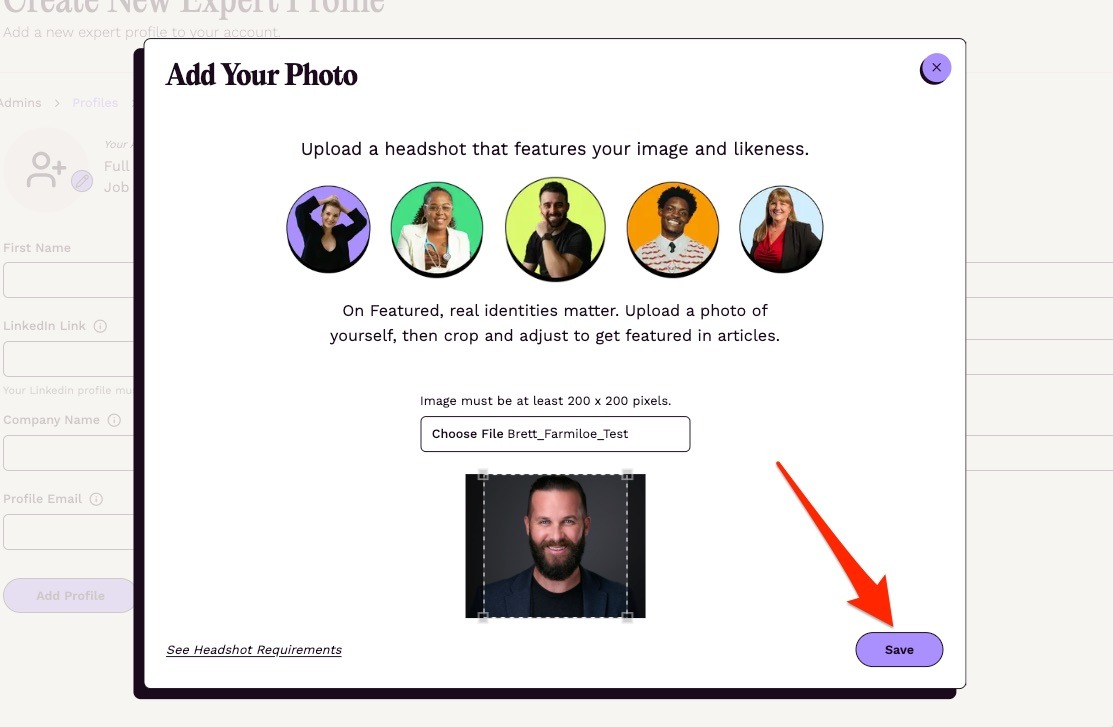
I'm having trouble uploading a headshot.
Updated 1 min read
If an headshot image won't upload to your expert profile, it may be due to the size or format of the image. Headshots must be under 5 MB, in JPG, JPEG, PNG or WebP format, and at least 200 x 200 pixels. Various free image resizers can help. For example, Adobe (https://www.adobe.com/express/feature/image/resize) has a free online tool or you can try Biteable (https://biteable.com/tools/image-resizer/).
If a "Headshot requirements" warning appears after you choose a photo, you can keep the photo or choose another. See the full requirements here: https://connectively.us/headshot-requirements
Otherwise, here is how to upload a headshot.
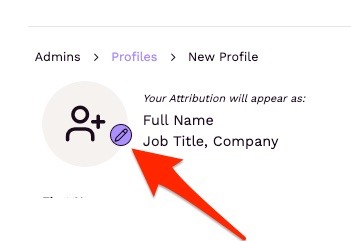
- Click the violet pencil icon
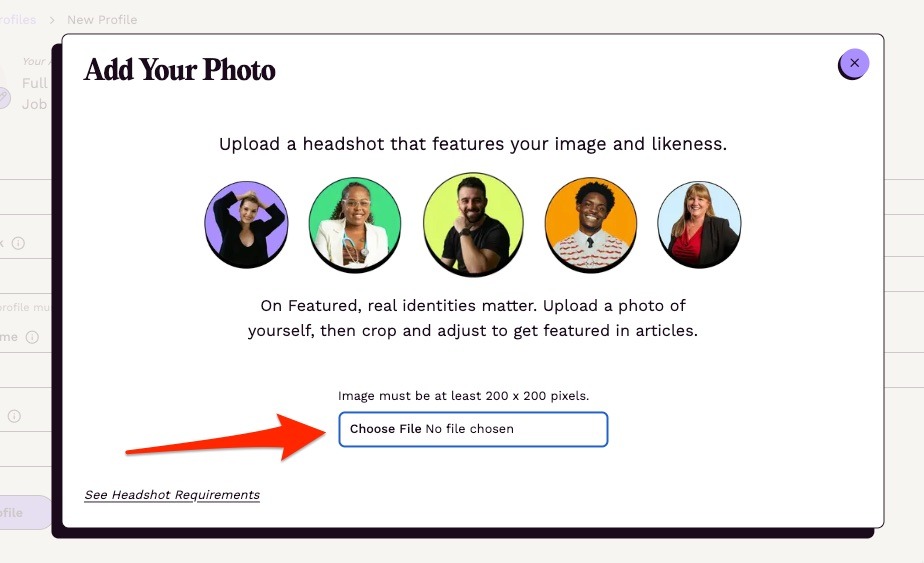
2. Drag an image into the "Choose File" area (or, click "Choose File")
3. Crop and Save your headshot.