How can I turn off email notifications?
Updated 1 min read
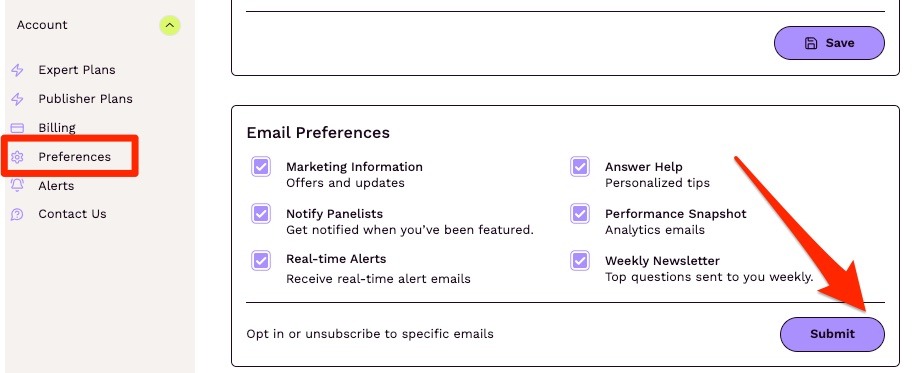
You can manage your email notifications on the Account Preferences page: https://connectively.us/account/preferences
In the Email Preferences section, untick the boxes you'd like to opt-out of (Marketing Information, Answer Help, Performance Snapshot, Real-time Alerts, Weekly Newsletter, Onboarding, the Status Updates options "Answer was viewed" and "Pitch was published", and the Connectively AI, Journalist Matching and Podcast Opportunities options), and click on 'Submit.'