How to Manage Your Billing
Updated 2 min read
All of your billing information can be viewed and managed from your Connectively account by navigating to the Account Billing page.
From your Billing page, you can view your past invoices, current plan details, and payment information, and you can make any updates to your plan from here.
Key Features
Plan renewal date and 30-day cycle start date
If you have a Lite, Pro, or Business Plan on Connectively, you will have a unique Plan renewal date and 30-day cycle start date.
For Lite Plan users, the 30-day cycle start date is when your 10 answers reset. For Pro and Business Plan users, it is when your active seat(s) reset.
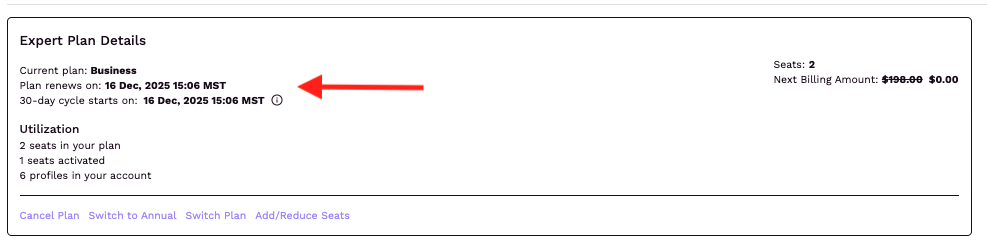
If you are planning to cancel your subscription, downgrade your subscription type, or reduce your subscription's seat count, you will want to take this action BEFORE you pass your "Plan renews on" date. Any changes that happen after this date will not take place until the following 30-day billing cycle.
Adding seats or upgrading your subscription type will take place immediately at a prorated cost.
If you have more expert profiles than paid seats on your account, you can change which profile(s) your applied paid seats (aka active seats) are applied towards after your "30-day cycle starts on" date passes.
As a reminder, a paid seat becomes an active seat and is locked to its respective expert profile for the 30-day period following a submission.
Both month-to-month and annual plans follow a 30-day seat usage cycle.
Utilization
For Pro and Business Plans, the Utilization section shows how many seats are in your plan, how many seats are activated, and how many profiles are in your account.
These metrics can help you ensure you're using all of the seats you are paying for.
Managing Payment Info
Connectively uses Stripe to manage all payment processing. You can update your payment information by clicking the "Edit Payment Info" action from the Payment Info section of your Billing page.
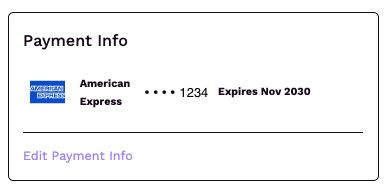
This will take you to your personalized Stripe billing page. From here, you can update your payment methods or adjust the billing information that is shown on your invoice summary.
If a payment fails on Connectively, we will reach out a certain number of times, letting you know the invoice has not yet been paid. During this period, you would lose access to any paid features. If you wish to cancel a subscription following a failed payment, reach out directly to our team for further support.